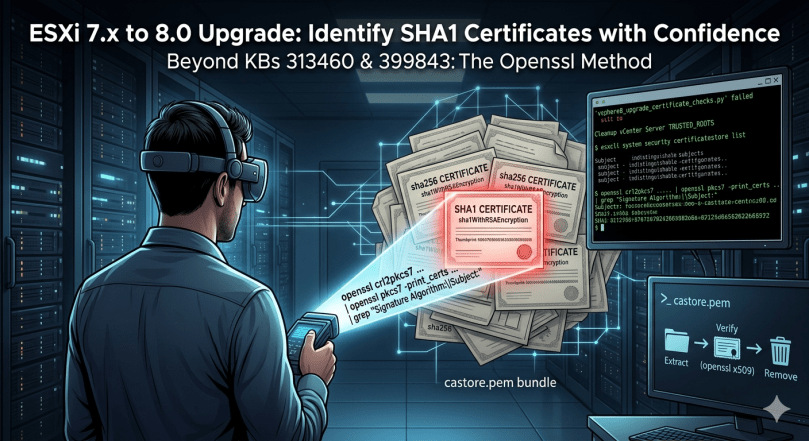
You are upgrading vCenter and ESXi from 7.x to 8.0 U3. The precheck fails on the ESXi side with a weak certificate signature error. SHA1 certificates somewhere on the hosts. Broadcom has KBs for this. KB 313460 and KB 399843. You follow them. You run the commands. The cert is still there. Or you cannot tell which one to remove.
This post is about why the standard commands fall short, and the openssl method that closes the gap. Tested in a real production environment during an ESXi 7.x to 8.0 U3 upgrade. Not a lab.
The Error
The detection script from KB 313460, called vsphere8_upgrade_certificate_checks.py, returns errors like this on ESXi hosts:
Host has a configured certificate authority (CA) with subject name '/O=VMware/CN=...'
that has weak signature algorithm sha1WithRSAEncryption.
The certificate thumbprint is ##########.
Cleanup vCenter Server TRUSTED_ROOTS before explicitly removing certificates from the host.
vSphere 8.0 dropped SHA1 support. The certificates need to go before the upgrade can proceed.
What the KBs Tell You to Do
For detection. KB 313460 provides the vsphere8_upgrade_certificate_checks.py script. You run it on the vCenter Appliance. It iterates through the connected ESXi hosts and reports which certificates have weak signature algorithms.
That part works. The script does detect the problem and gives you a thumbprint.
For removal on the ESXi side. KB 399843 says:
esxcli system security certificatestore listThen copy the offending cert to /tmp and remove it with:
esxcli system security certificatestore remove --filename=<local_file>Sounds simple. Here is the problem.
Why the Standard Removal Workflow Falls Short
The detection script gives you a thumbprint and a Subject. esxcli system security certificatestore list shows you the certificates currently on the host. But the listing does not show signature algorithms. The Subject lines from the listing often look similar across multiple certs. Generic CN values, repeating org names, or truncated text.
You end up in a situation where the script tells you “remove this one” but the listing does not give you enough information to confidently identify which specific certificate to extract and pass to the remove command. The thumbprint helps if you can match it directly. In practice with custom CA pushes accumulated across years of upgrades, that match is not always obvious from the listing alone.
This is not a lab problem. In a small environment with two or three certs, you can probably guess and verify. In a production environment with multiple hosts, a non-trivial certificate history, and a maintenance window already approved, you do not guess. You need to know with certainty which certificate is SHA1 before you run a remove command on it. Wrong removal can break trust relationships and add hours to your window.
The openssl Method That Closes the Gap
ESXi stores trusted certificates in /etc/vmware/ssl/castore.pem, a concatenated PEM bundle. Parse it directly with openssl and you get Subject and Signature Algorithm side by side, for every certificate in the store.
SSH to the ESXi host and run:
openssl crl2pkcs7 -nocrl -certfile /etc/vmware/ssl/castore.pem | openssl pkcs7 -print_certs -text -noout | grep "Signature Algorithm:\|Subject:"Output looks like this:
Signature Algorithm: sha256WithRSAEncryption
Subject: CN=CA, DC=vsphere, DC=local
Signature Algorithm: sha256WithRSAEncryption
Subject: CN=CA, DC=vsphere, DC=local
Signature Algorithm: sha1WithRSAEncryption
Subject: O=VMware, CN=...
Signature Algorithm: sha1WithRSAEncryption
Subject: O=VMware, CN=...
...
Now you can see exactly which certificates are SHA1 and what their Subject is. Cross-reference with the thumbprints reported by the KB 313460 detection script and you have a definitive identification before you remove anything.
In this environment, four SHA1 certificates were found per host. All custom CA pushes from earlier upgrades. Origins long forgotten, carried forward across multiple vSphere versions until SHA1 support was dropped at 8.0.
Removing the SHA1 Certificates
Step 1. Extract the SHA1 Cert from castore.pem
Open castore.pem and find the block matching the SHA1 cert you identified. Each certificate in the bundle is wrapped in standard markers:
-----BEGIN CERTIFICATE-----
<base64 data>
-----END CERTIFICATE-----
Copy the block, including the BEGIN and END lines, into a new file in /tmp:
vi /tmp/sha1_cert_01.cerStep 2. Verify Before Removing
Confirm the cert you extracted is the SHA1 one:
cat /tmp/sha1_cert_01.cer | openssl x509 -textCheck the Signature Algorithm line. It should read sha1WithRSAEncryption. If it does not, wrong cert. Try again.
Step 3. Remove It
esxcli system security certificatestore remove --filename=/tmp/sha1_cert_01.cerRepeat for each SHA1 certificate. In this environment that was four iterations per host.
Step 4. Confirm
Run the openssl parse command again. The SHA1 certs should be gone:
openssl crl2pkcs7 -nocrl -certfile /etc/vmware/ssl/castore.pem | openssl pkcs7 -print_certs -text -noout | grep "Signature Algorithm:\|Subject:"Then re-run the KB 313460 detection script from vCenter. The host should pass.
Real World Notes
Cleanup vCenter TRUSTED_ROOTS first. The error message from the detection script says so for a reason. If vCenter still has the SHA1 cert in its trusted root store, it will push it back to the ESXi hosts on the next certificate sync. Clean the vCenter side first, using vCert.py or the methods in KB 313460, then clean each ESXi.
Check for third-party dependencies before removing anything. KB 313460 calls this out explicitly: intermediate or root certificates may be in use by LDAPS, vROps, SRM, NSX, vVols, or partner backup solutions. Removing them without checking can break those integrations. Confirm before removal in production.
The certs are typically custom CA pushes from prior years. Nobody currently in the team remembers where they came from. They get pushed during older upgrades, carried forward, and only surface as a problem at 8.0 because SHA1 support is dropped.
Snapshot or maintenance mode before you start. Removing a wrong certificate can break communication between vCenter and the host. Confirm the host is in maintenance mode and workloads are evacuated. Do not do this on a Friday.
Avoid editing castore.pem directly. KB 399843 mentions this as a fallback. It works, but it is messy and easy to corrupt the bundle. The extract-and-remove workflow goes through ESXi’s own certificate API and is safer.
Run this on every host in the cluster. The precheck will fail again at the next host if you only fix one. Plan the maintenance window for all affected hosts.
For VMCA acting as a subordinate CA, the workflow is different. See KB 399821. The blog above assumes standalone VMCA, which is the common case.
Why This Matters
The Broadcom KBs describe the right concept. The detection script does its job. The removal command works. The gap is in the middle. Identifying with certainty which specific certificate in the bundle is the one to remove, in a production environment where guessing is not an option.
Going directly to castore.pem with openssl closes that gap. Subject and Signature Algorithm in one view. Cross-reference with the detection script’s thumbprint output and you have full visibility before you touch anything.
This is the kind of thing that turns a 30-minute task into a half-day incident if you do not know it. Posting it here so the next person finds it before they hit the same wall.
Reference Links
- KB 313460 – Upgrading vCenter Server or ESXi 8.0 fails during precheck due to a weak certificate signature algorithm
- KB 399843 – vCenter Server upgrade from 7.x to 8.x fails due to SHA1 signature algorithm in ESXi certificate chain when ESXi using custom CA certs
- KB 416244 – Upgrading vCenter Server 7.0 to 8.0 fails at the stage2 pre-check after updating the root certificate signature algorithm from SHA1 to SHA2
- KB 399821 – vCenter 8.0 Upgrade Fails Due to SHA1 Signature Algorithm in certificate chain when VMCA is a sub CA
- KB 385107 – vCert: Scripted vCenter expired certificate replacement
Hit this in your own upgrade? Different approach worked for you? Leave a comment.
 Can Karahaliloglu